

The paperwork side of your business, handled.
Snap the receipt, we read it. Approvals, reimbursements and month-end follow on their own — for freelancers and teams of up to twelve people.
30 days free · No card · No setup call · No minimum number of users
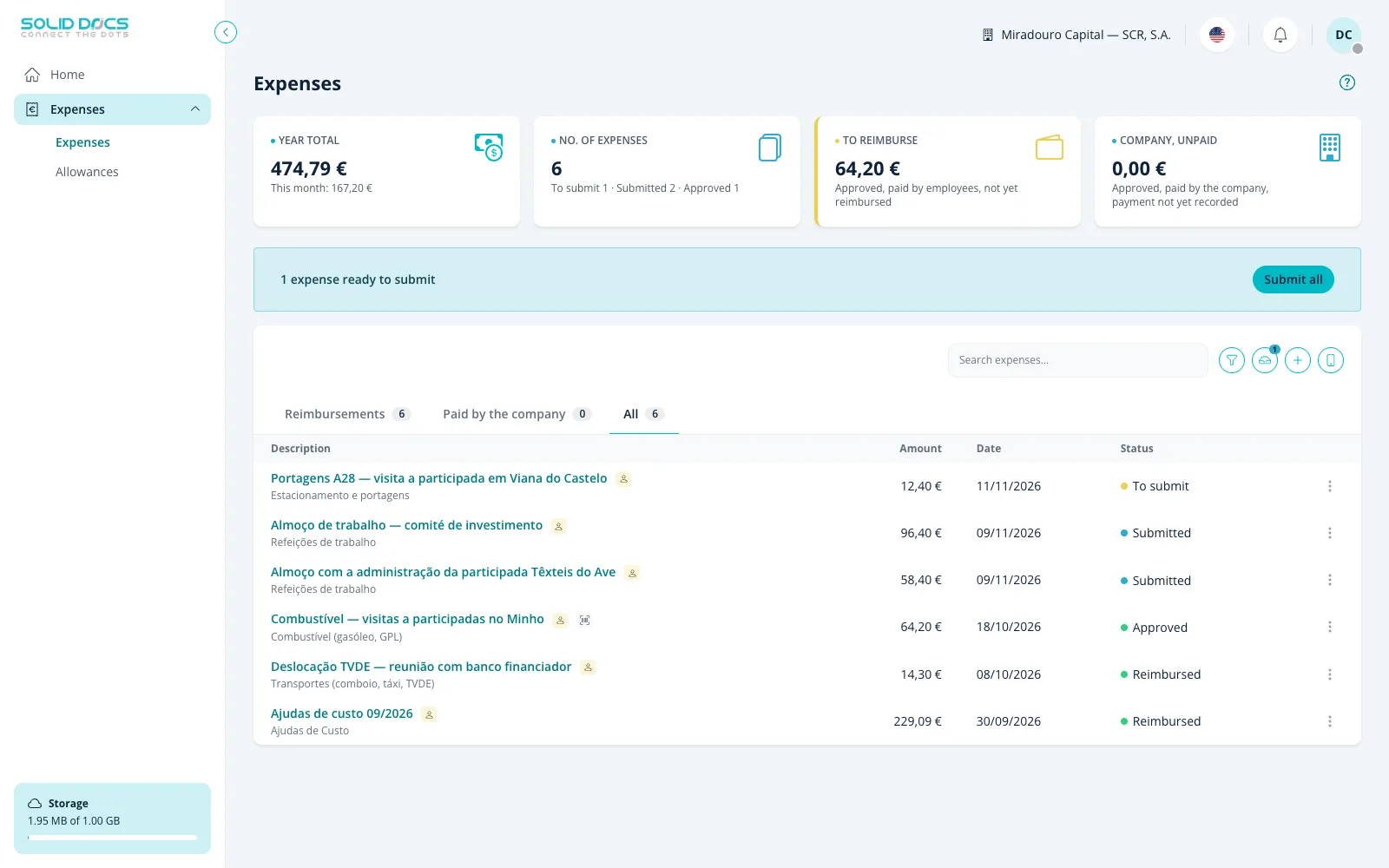
You didn't start a business to chase paperwork
The invoice is in your email. The receipt is a photo on your phone. The contract is in a folder someone shared once. It works — until it doesn't, and then it takes a whole evening to put back together.
From a receipt in your pocket to a closed month
You can be using it properly in an afternoon.
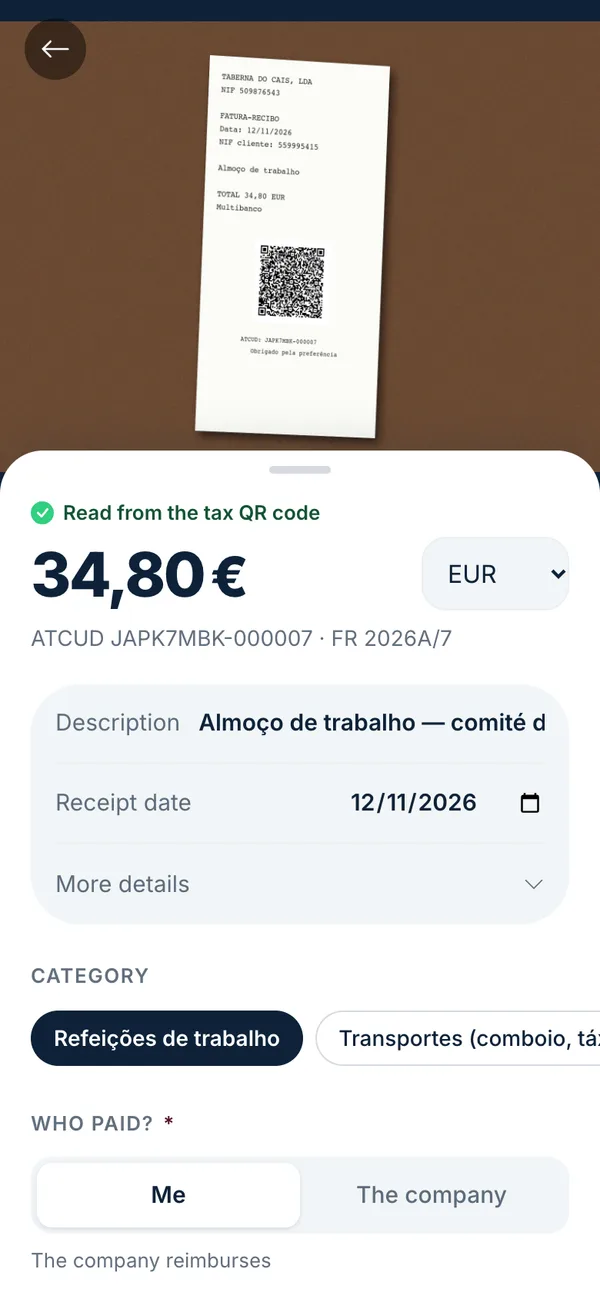
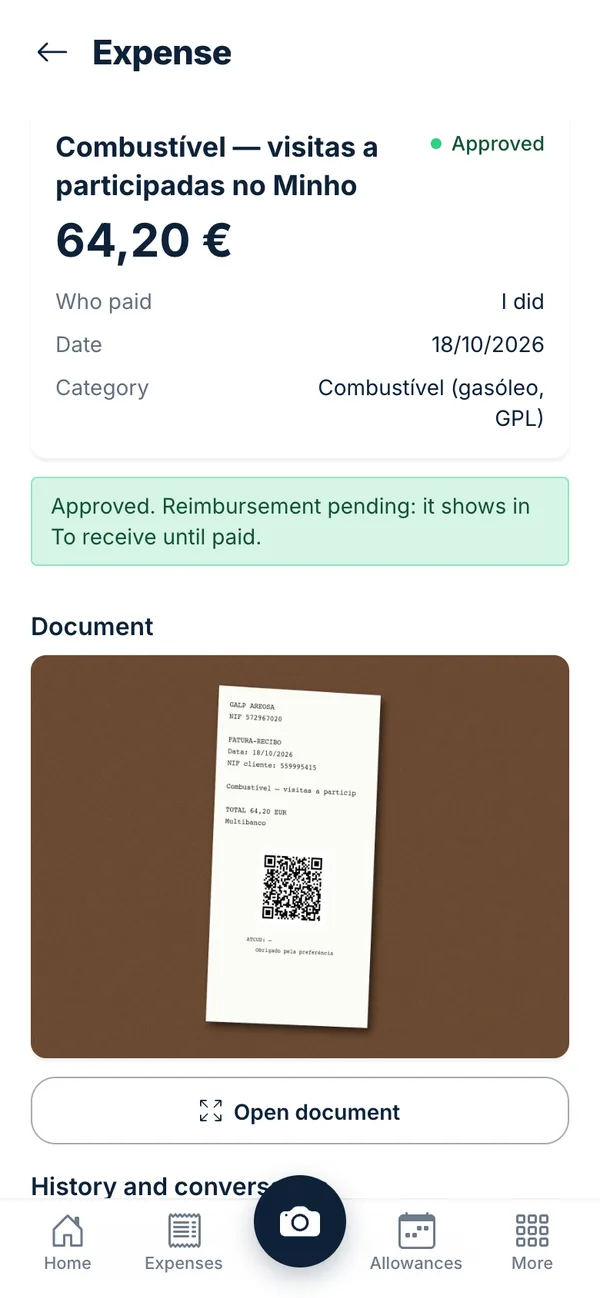
Point your camera. That's the typing done.
Amount, date, supplier and taxes come off the receipt and its QR code. A supplier you've used before fills in the rest.
- Works offline, syncs when you're back
- Warns you about a blurry photo
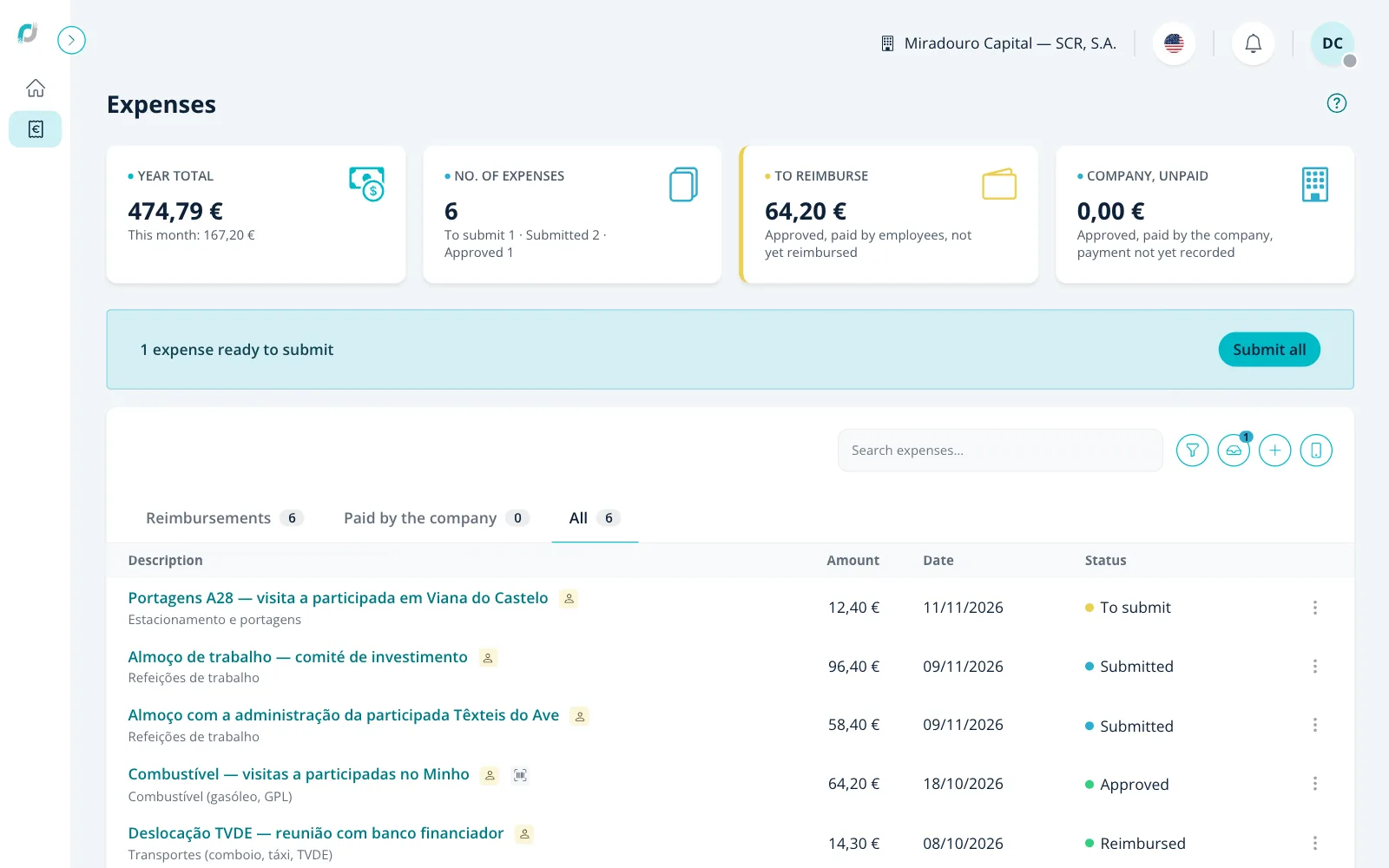
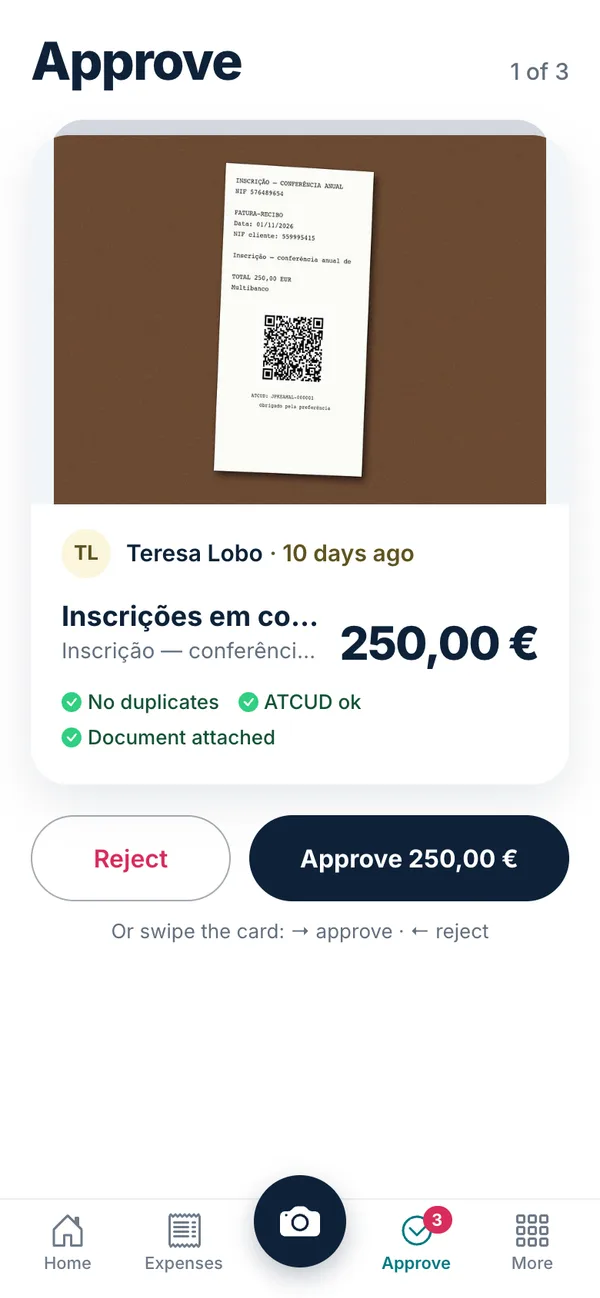
Decide once, not every time.
Say who approves whom and up to what amount. Small things go through on their own — you still see everything that went by.
- Approve from your phone
- Reminders at 3, 7 and 14 days
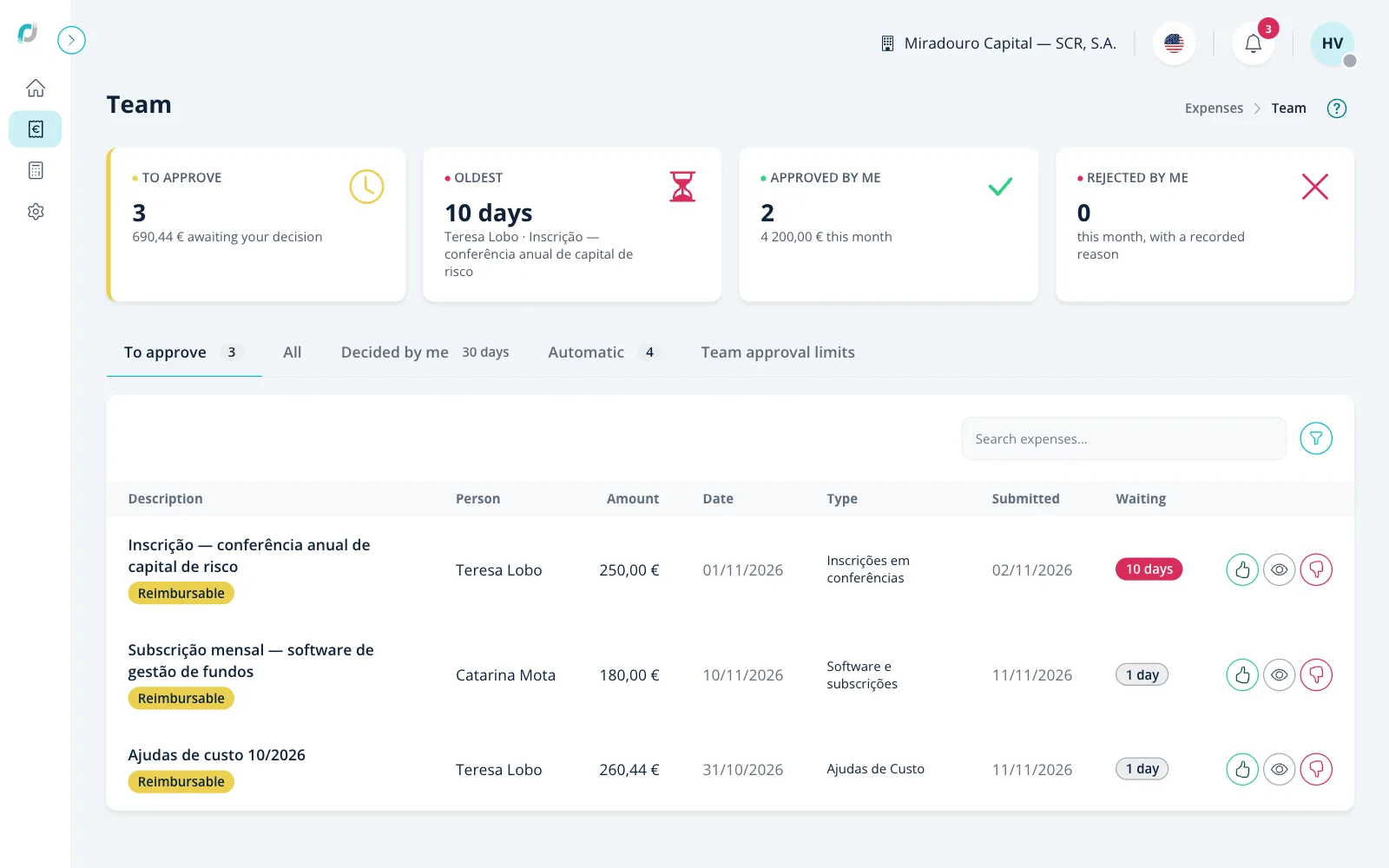
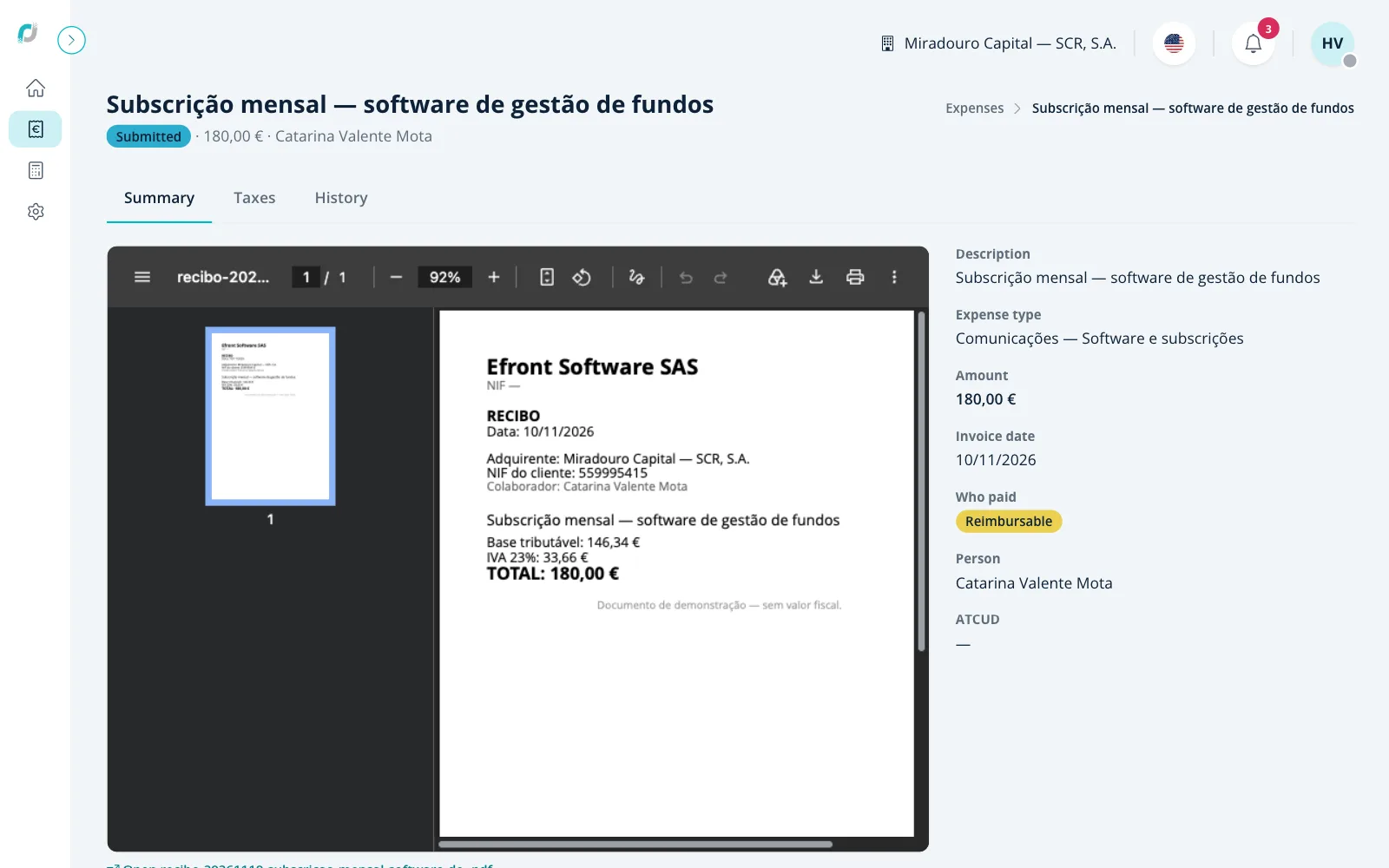
Every expense with its document.
The receipt next to the data, the taxes split out, and a history of who did what and when.
- VAT and invoice code from the QR
- A full audit trail
Close the month with proof.
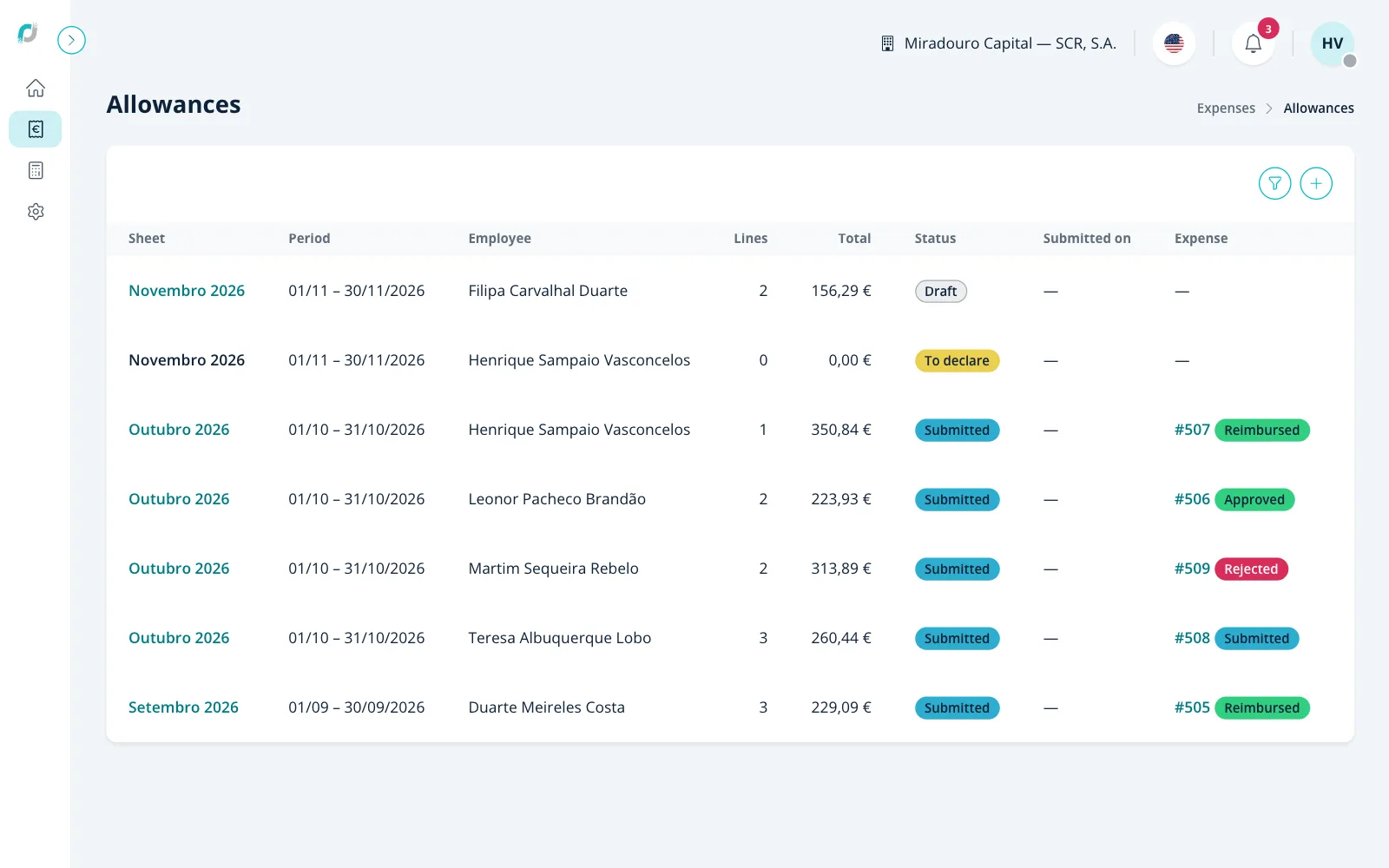
Allowances, reimbursements and the month report per person — ready for your accountant without an email thread.
- Allowances on your phone, with the route on the map
- Matched against the tax authority's records
What it does for you
On your own
Snap it and forget it
The receipt is read from the tax-authority QR code, offline included, and filed with its document.
Income and VAT
Your income and the quarter's VAT, without a spreadsheet.
Social security
What you pay each month and what goes in the quarterly return.
Deadlines on time
The tax calendar, with a warning before each deadline, and how much to set aside each month.
Documents
Company documents in one place, with a warning before they expire.
Your accountant
Joins at no cost and sees only the books, not your whole business.
Personal plan · 6,90 € a month, all included · See pricing
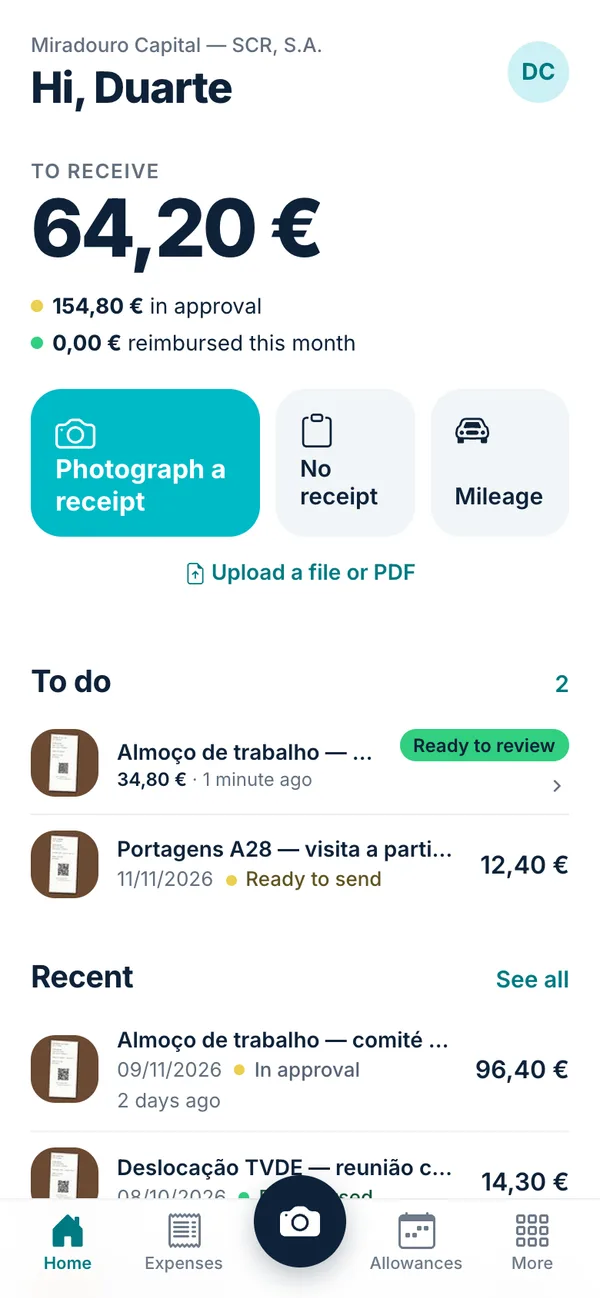
I have a team
Approvals with limits
Say who approves whom and up to what amount; small expenses go through on their own.
Allowances and mileage
The month's sheet made on the phone, with the road route and tolls turned into mileage.
Vehicles
Each person's fleet car and the toll statement for each plate, already in the expenses.
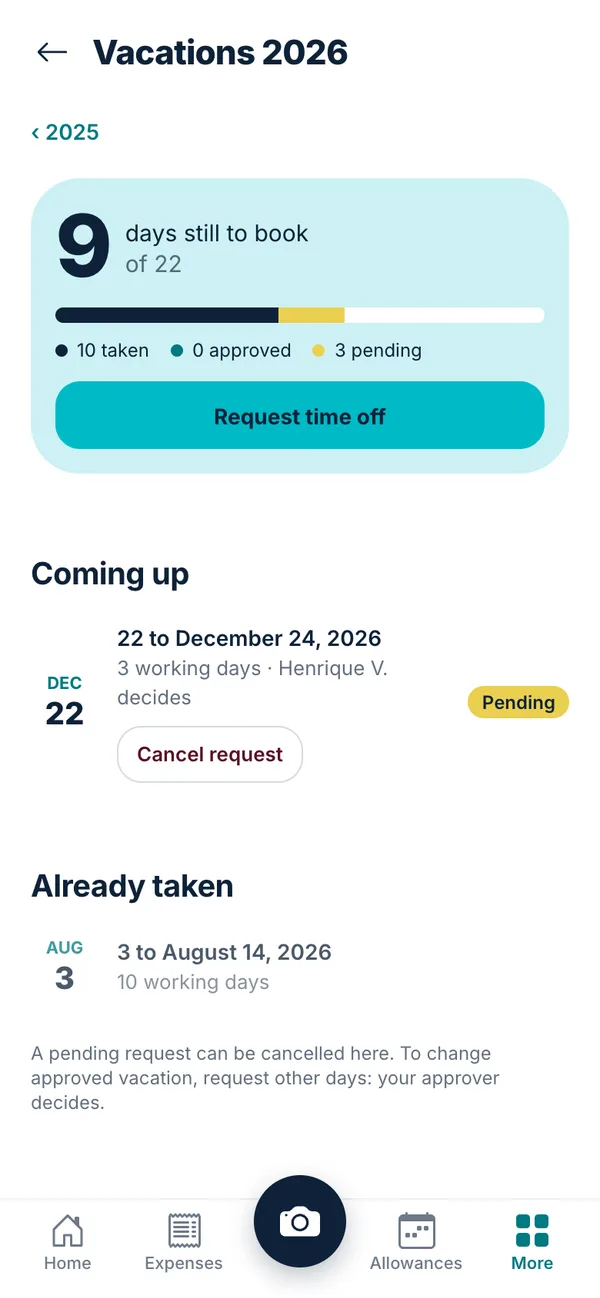
Time off on the phone
Book, approve and see the days each person has left.
Payslips
Everyone gets their own payslip on their phone.
Projects and time
Who's working on what and what the month is worth per client, without a spreadsheet.
Expenses, Team and People packs · from 5,00 € per person/month · See pricing
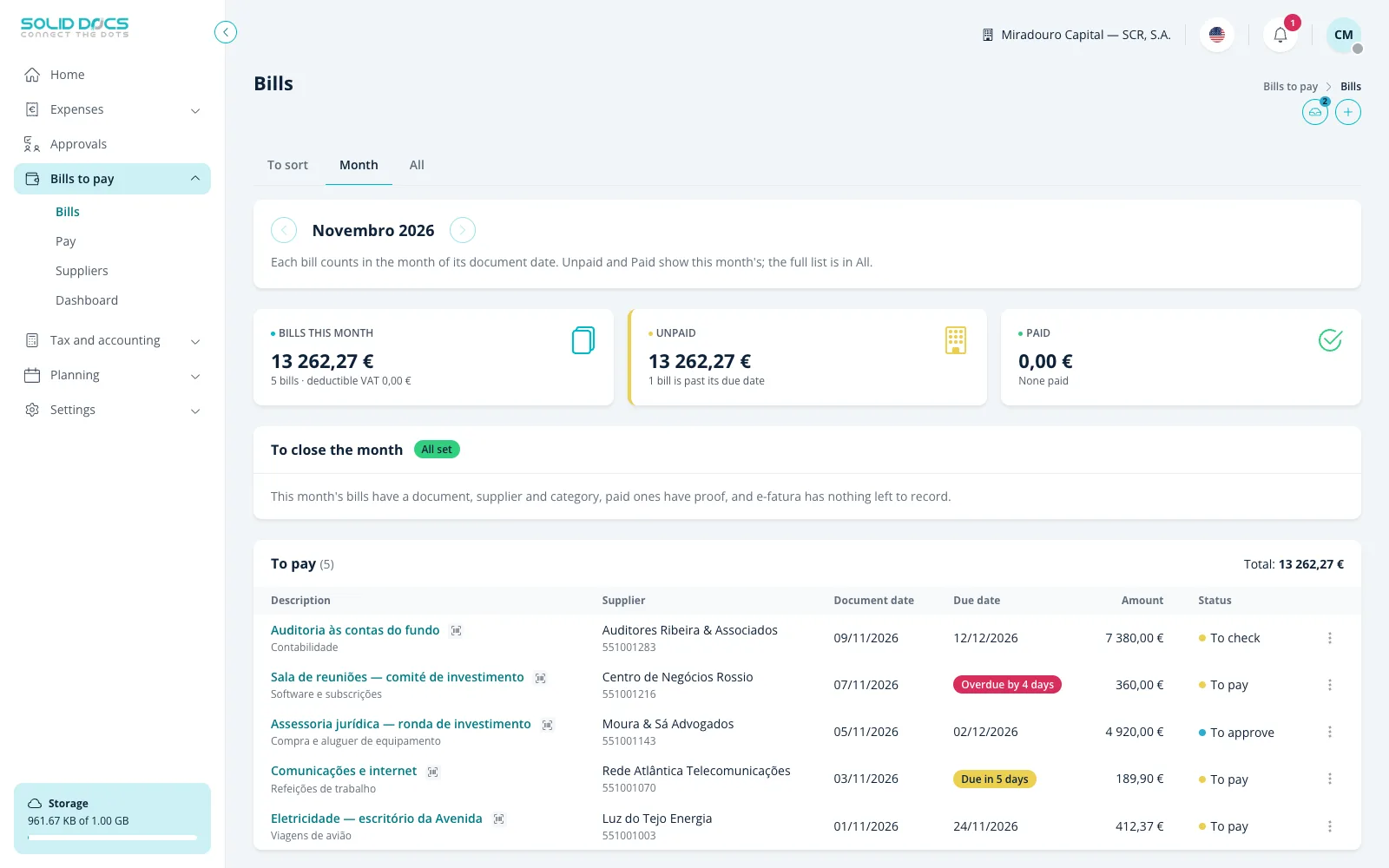
I do the books
Bills to pay
Supplier invoices are checked, approved by amount and paid in batches, with the SEPA file.
Bank and cards
The bank statement and the company card statement matched against expenses, line by line.
E-invoices
What you have compared with what the tax authority has, and what is missing on either side.
Cost centres and close
Every cost in its cost centre and the month closed with an audit trail.
Digital archive
Documents kept the way the tax authority requires, so you can drop the paper.
Integrations
Connect to what you already use, such as Portuguese social security, or ask for the one you need.
Tax pack · 10,00 € per company/month · See pricing
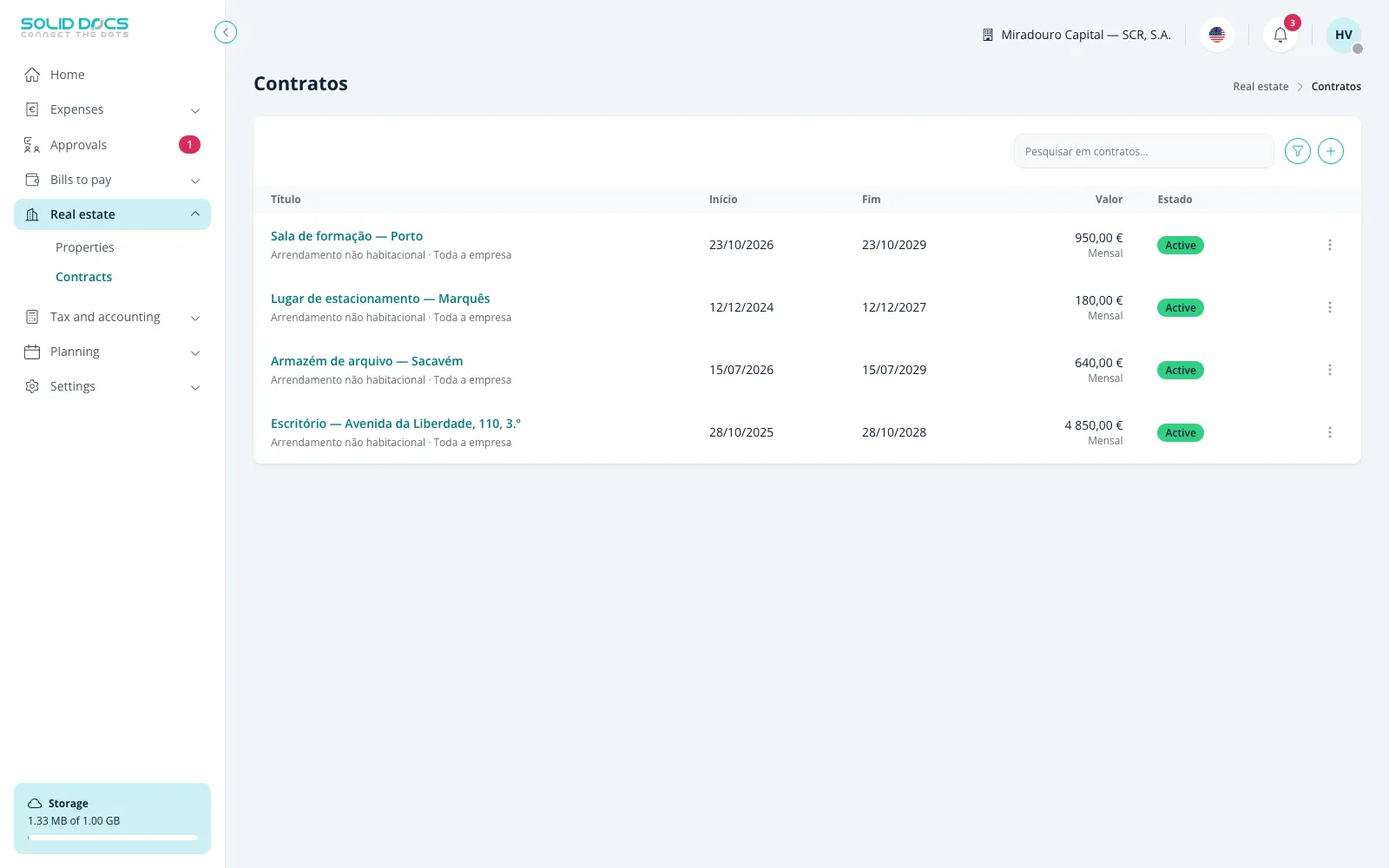
I rent out property
Contracts
Leases and service contracts with renewals and notice periods.
Rent updates
The official coefficient each year, applied on time with the letter ready.
Properties and upkeep
Each property with its status, its contracts and its works.
Rent tracked
What came in and what is missing, contract by contract.
Real estate pack · 12,00 € per company/month · See pricing
Local tax rules, without the local software
Most tools stop at "upload your file". Solid Docs reads the codes printed on your invoices, reconciles them against what the tax authority already has on record, and tells you what is missing on either side.
That depth is live today for Portugal. The rest of the product is country-neutral: if you're outside Portugal, everything except the local filings works the same way.
- Automatic reading of invoice codes (ATCUD) and QR data
- Reconciliation against official tax-authority records (e-fatura)
- Tax-number validation, EU VAT numbers through VIES and debtor checks
- Social security for the self-employed and the quarterly return
- A digital archive the tax authority accepts (DL 28/2019)
- Company registry documents, refreshed automatically
- Month-end close with an audit trail
Your documents stay yours
Separated by company
Every company's data is isolated. People only ever see the company they belong to.
You decide who sees what
Access is granted per person and per area — not all-or-nothing.
Everything is exportable
Your documents and data can be exported at any time. Leaving is your right, not a negotiation.
An audit trail by default
Who did what, and when. Every approval, rejection and change is recorded.
Start free. Pay for what you use.
Try it free for 30 days, no card. Then you pay for the accounts and modules you actually use — never a minimum number of seats.
Start freeQuestions about a bigger setup? Talk to us.
Questions people ask
Is this useful if I'm the only person in the company?
That's the case we designed for first. With no one to approve anything, the approval side simply stays out of your way — what you get is capture, filing and a month that closes itself.
Do I need an accountant to use it?
No. If you have one, you can give them their own access to the books without handing over the rest of your business. If you don't, everything is exportable in formats an accountant will accept later.
I'm not in Portugal. Is it still for me?
Yes. Capture, expenses, approvals, bills to pay, time off, documents, contracts and projects are country-neutral. The official tax-authority filings are specific to Portugal today; everything else works the same anywhere.
What happens to my documents if I leave?
You export them. Your data is yours and there is no exit process to negotiate.
How long does it take to set up?
An afternoon. There's no implementation project, no setup call and no consultant.
Talk to us
A question before you start, something that doesn't fit, or a problem you think we should solve — write it here and a person reads it.